Your fan no longer reacts to its remote control? Before purchasing a replacement box, distinguish what is no longer responding: a button, the light, the ventilation or all the functions. A few simple observations allow you to prepare a precise request, without opening the device or improvising a repair.
This guide concerns usage checks accessible from the ground. It does not replace the instructions for your reference and does not provide any universal wiring or pairing procedure.
Start by knowing when not to continue
If you notice a burning smell, sparks, unusual mechanical noise or significant vibration, stop using. Turn off power to the affected circuit if it is safe to do so and contact a qualified professional. Do not turn the device on again to get video.
If the only problem is no response to the command, stick to the controls below. Do not open the ceiling cover, receiver or wall switch. A remote control that does not respond does not, in itself, allow us to conclude that the motor is defective.
Exactly identify the fan and remote control assembly
Find the invoice or order email, the instructions and the chosen variant. Note the model name and diameter. Photograph the faces of the case and any visible references without dismantling. Don't go up and look for a label on the ceiling: start with the documents you already have.
With several fans in the home, provisionally assign a name to each set, for example "living room" and "bedroom". Verify that you are using the case normally associated with this part. Two remote controls that look the same do not prove that the devices are using the same system.
Do three simple checks, in this order
1. Record the status of the usual control
Check the position of the switch which normally powers the fan, if its role is identified. A device without power is not receiving requests from the remote control. Do not change connections to try another control point. If an electrical protection has tripped, do not multiply the resets: have the cause investigated.
2. Check the batteries according to the instructions
Consult the prescribed battery type and the direction of installation. Replace the used batteries with the appropriate reference, following the instructions, then close the compartment correctly. Don't assume format from a photo of a remote control. Keep batteries, especially button batteries, out of the reach of children.
The manufacturer Hunter also describes different types of batteries depending on its controls in its remote control installation guide. This example confirms the interest in reading the exact instructions; it does not indicate which battery is fitted to your Oléa model.
3. Note an action and its result
In the absence of a worrying sign, only use a normal use command described in your instructions. Note the button pressed and what you notice, instead of chaining the keys. For example: “after replacing the batteries, the light button responds, but not the ventilation button”. If there is a light or sound signal, indicate its behavior without attributing an undocumented meaning to it.
A short before/after list is sufficient. It avoids confusing an observed result with a hypothesis, or no longer knowing which manipulation preceded the change.
Why avoid randomly found reset methods?
The association between the box and the device can follow a procedure specific to the model. Hunter presents several procedures according to its references ; some commands can even associate or dissociate devices with the same action. This is therefore not a recipe to be transposed to an Oléa fan.
Before any pairing, ask for the instructions corresponding to your reference and your remote control. Have precautions specified if several devices are in the home. Without a confirmed procedure, stop the tests rather than repeating a key combination or power outages.
Three situations to describe to after-sales service
The following cases are examples of description, not diagnostics or faults attributed to Oléa products.
- No more functions respond: indicate since when, if the batteries have been replaced in accordance with the instructions and if a recent event is known, such as a power outage. Do not automatically conclude that the remote control is faulty.
- The light responds, not the ventilation: describe the two functions and the buttons used separately. This observation deserves appropriate verification; it is not enough to control a motor or a receiver.
- The problem occurs after changing the box: provide the references of the old and new ones. First ask for confirmation of compatibility, then the necessary official procedure.
An Oléa example to prepare the right information
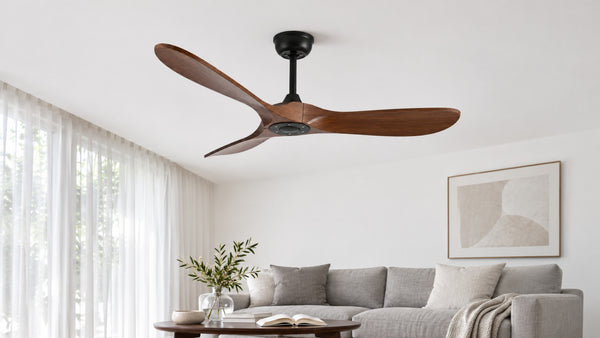
The silver and dark wood ceiling fan with LED, 132 cm is a relevant example when you need to distinguish lighting and ventilation in your report. Its sheet indicates a remote control included, an integrated 24 W LED and six speeds. The 132 cm variant has the reference HOR-048-OLE.
These characteristics identify the device; they give neither a battery reference nor a pairing sequence. Also, don't assume that a remote control from another silver fan is compatible. For this reference as for any other, the instructions and identification of the case remain necessary before replacement.
The message to prepare to obtain a usable response
Collect the elements in a single message, with the useful photos already available:
Hello, I am contacting you regarding the fan [model and variant], order [number]. Since [date or first use], [specific function] no longer responds to the remote control. Here are the checks carried out in accordance with the instructions: [short list and results]. I am attaching the references and photos of the case. Can you confirm the procedure suitable for this set and the additional information required? I did not dismantle the installation.
Adapt the last sentence to what you actually did. If an intervention has already taken place, mention it. An accurate history helps more than guessing which part needs to be changed. Do not add bank details or documents unrelated to the request.
Frequently asked questions
The remote control light comes on: do you still need to check the batteries?
Follow the checks provided for in the instructions. The indicator light is an observation to be transmitted, not sufficient proof that the assembly is working correctly. Also note whether the fan reacts and to which command.
Should a universal remote control be ordered immediately?
No. Request a replacement reference explicitly compatible with your fan and its reception system. The appearance of the case or the “universal” designation does not replace this check.
Does a fault appearing after an outage mean that the pairing is lost?
Not necessarily. Report the timeline, but don't turn this coincidence into a diagnosis. Ask for the procedure adapted to the model before any reset.
Which photos are really useful?
The box seen from the front and back, its accessible references and the instructions already in your possession are a good start. A general photo of the stopped aircraft, taken from the ground, can complete the file. Do not open a part or take a risk at height just to provide an image.
Keep in mind
Identify the model, check the user controls and batteries according to its instructions, then record the results. If this is not enough, request a targeted procedure before any part purchase or pairing. The objective is to transmit useful facts, not to repair randomly.
Oléa sheet and variant checked on November 7, 2026. The Hunter documents cited provide general reference points on their own devices and do not replace the instructions for an Oléa fan.